


MEDITECH MHealth
3.11.10K Reviews
App Specs
- Version
- 1.20.0
- Updated On
- License
- Free
- Downloads
- 1,000,000+
- Developer
- Medical Information Technology, Inc.
- Categories
- Medical
- Platform
- Android, iOS
Screenshots
 Analysis by AppCompare
I think the best way to judge a health portal app is to ask what it helps me do on an ordinary day—and what I should check before trusting it with something personal. MEDITECH MHealth is a medical app from Medical Information Technology, Inc., built as a mobile route into the MEDITECH patient and consumer health portal. That makes its usefulness closely tied to the healthcare organization and portal account a person can access, rather than to the app alone.
That distinction matters for trust. Installing a portal app is not the same as gaining access to every part of a medical record or confirming how a particular clinic handles messages and appointments. I would first make sure my care provider uses the relevant MEDITECH portal, then sign in through the account details the provider gives me. If I cannot get past that step, the app may not be useful to me even if it installs without trouble.
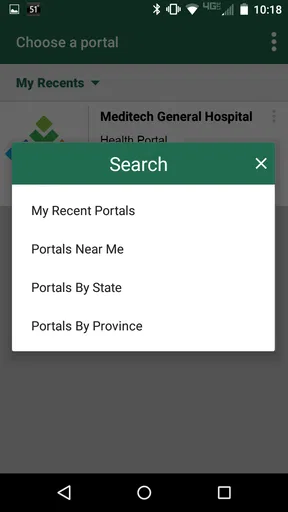
Trust begins with the account you use
When health information is involved, I treat the sign-in screen as a practical decision point, not just a hurdle. I would use the official app-store entry, check that the developer name is Medical Information Technology, Inc., and avoid entering my credentials on a page reached through an unexpected message. Those are sensible habits for any patient portal, not proof of a particular app’s privacy practices.
I also would not assume that a familiar app name guarantees that every feature is available to every patient. A portal can show different information depending on a person’s provider, account setup, and the services that organization makes available. Before relying on a function for an urgent task, I would check whether it appears in my account and whether my clinic says that channel is appropriate.
What I would check before sharing or acting
Health records and provider communications can be sensitive, so I would review the app’s current privacy information and the permissions requested on my device before using it. I would grant only permissions that make sense for a task I intend to use, and revisit them if my needs change. I would not treat a general claim about safety as a substitute for reading the app’s actual disclosures or understanding the provider’s own portal policies.
Account access deserves the same care. I would choose a strong password, protect the device itself, and sign out if I am using a phone or tablet that other people can open. If I share a device with family, I would be especially careful about saved credentials and notifications that might display health-related details on the lock screen. Those small choices can matter more in daily use than a polished interface.
The app has a 3.1 average from around 2,500 ratings, so I would approach it with realistic expectations rather than assume every experience is smooth. That does not tell me what any one patient will encounter, but it is a reason to test the specific tasks I depend on—such as locating a result or contacting a provider—before making the app my only route to care information.
Worth Reading Before You Choose

EA SPORTS FC Mobile 26 Is a Bigger Football Game, but It Takes Time

Flipboard Shows What News Apps Must Do Beyond the Feed

Switching to Android Auto Means Rethinking Your Driving Routine

Google Calendar Makes a Crowded Week Easier to Manage

Ludo King Makes the Most of the Minutes Between Plans

Baby Panda World Brings Quick Play to Modern Phones, but Its Game Library Feels Busy
Using the portal for everyday care
For someone whose healthcare provider supports the portal, a mobile view can be most useful between visits: checking information before an appointment, looking up a detail after leaving the clinic, or keeping track of follow-up tasks. I would think of it as a convenient companion to care, not a replacement for calling the provider when timing, symptoms, or uncertainty make a direct conversation important.
A realistic example is a patient who has a follow-up visit coming up and wants to review what to ask. They can open the portal beforehand, see what information is available in their account, and make a short list of questions. If the relevant record is not there or a result needs explanation, the next step is to contact the care team rather than trying to interpret a medical entry alone. That workflow turns access into preparation without pretending the app can provide a diagnosis.
Where a mobile portal helps—and where it doesn’t
Compared with calling a clinic for every routine detail, a portal can give a patient a more direct way to check available information. Compared with a general health-tracking app, its focus is different: it connects with a healthcare portal rather than serving mainly as a personal log for habits or measurements. That difference is useful if I want provider-associated information, but it also means this is not a universal health dashboard that will necessarily gather data from every service I use.
I would not choose it as my only option if I need urgent medical advice, immediate appointment confirmation, or help accessing an account I cannot verify. A phone call remains the clearer route when a matter is time-sensitive or when I need a person to resolve a problem. Likewise, someone looking only to record exercise, sleep, or general wellness may prefer a dedicated tracking app; a patient portal is designed around healthcare interactions, not every aspect of personal health.
Small habits that make access more useful
One practical tip is to check the portal before a visit and write down anything that looks unclear, rather than trying to remember questions during the appointment. Another is to confirm important appointment details through the provider’s usual channel if a schedule change affects travel, work, or childcare. A mobile screen is handy for quick checks, but I would not assume that an item has been received or acted on simply because I opened or sent something in the app.
I would also separate convenience from completeness. A record view can be useful for recalling details, but it may not contain every document a patient expects or explain unfamiliar medical language. If a result or medication entry raises a concern, I would ask the clinician or pharmacist responsible for my care. The app can help me find the information to discuss; it should not become the authority for interpreting it.
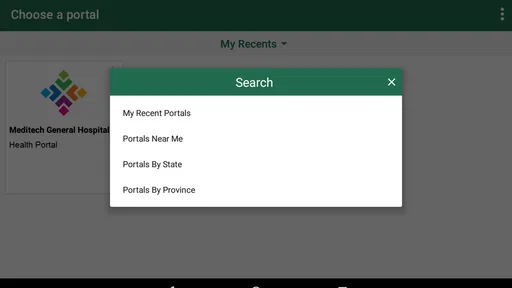
Before making the portal part of a routine, I would test sign-in, locate one ordinary piece of information, and learn how to reach the provider through the account. That modest trial helps reveal whether the app fits my actual care relationship. It also avoids the frustration of discovering during a busy moment that I do not know which account to use or where a particular task lives.
Some people may also be helping a parent or another relative manage appointments. In that situation, I would make sure the patient has authorized the appropriate access and understands what will be visible on the device. I would not share a login casually just because it seems convenient; account boundaries and consent matter when health details belong to someone else.
Getting Started with MEDITECH MHealth
So, what’s the first thing you do after installing MEDITECH MHealth? Dive into its sleek and user-friendly interface, of course! The app is pretty intuitive, making it super easy for anyone to navigate. Trust me, you don't need to be a tech whiz to get the hang of it.
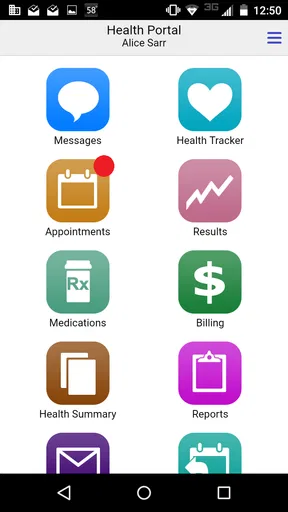
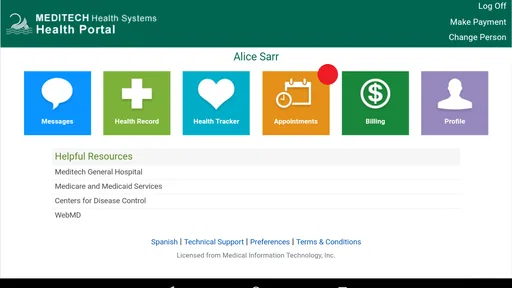
Once you log in with your credentials, you'll see all your health data neatly organized. From medical records to prescription details, everything is just a tap away. And yes, the setup process is a breeze, which is a big plus if you’re not keen on spending hours just trying to log in.
Features That Stand Out
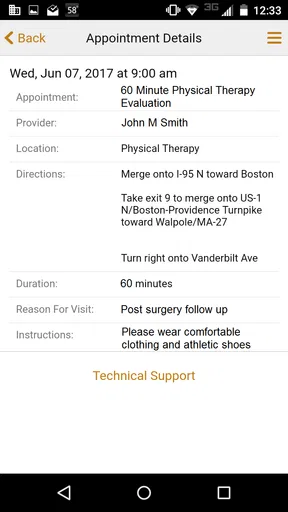
One of the coolest features is the appointment scheduling. Say goodbye to long hold times on the phone trying to book a doctor’s appointment. With this app, you can schedule, reschedule, or even cancel appointments without breaking a sweat. Plus, the app sends you reminders, so you never miss a date with your doctor again.
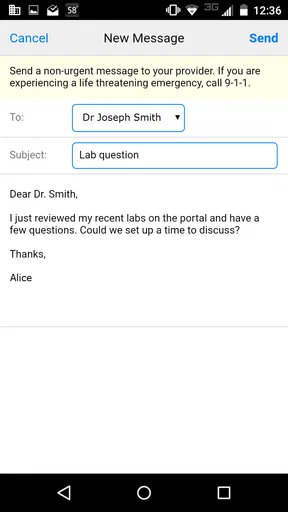
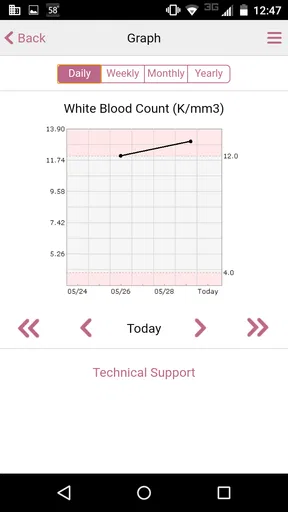
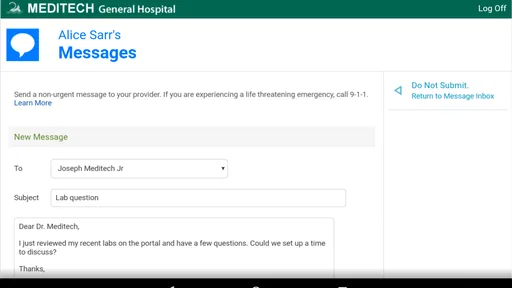
Another handy feature is access to your health records. You can view lab results, medication details, and even your past medical history. It's like having a mini medical office in your pocket. Also, the secure messaging feature lets you communicate directly with your healthcare provider, which is a total game-changer.
Why You’ll Love It
What makes MEDITECH MHealth a must-have is its emphasis on security and privacy. We all know how crucial it is to keep personal health information safe, and this app does a stellar job. With strong encryption and secure login methods, you can rest easy knowing your data is protected.
Moreover, the app’s performance is impressive. It runs smoothly without any major hiccups, ensuring that you can access your information quickly and efficiently. Whether you're on Android or iOS, the experience is seamless.
Some Final Thoughts
In a world where digital health is becoming increasingly important, MEDITECH MHealth stands out as a reliable companion for managing your healthcare needs. It’s comprehensive, secure, and incredibly user-friendly. If you’re looking to take control of your health information, this app is definitely worth checking out.
Ready to try it for yourself? Head over to your app store and download MEDITECH MHealth today. Transform the way you manage your health, because let’s be honest, we could all use a little more simplicity in our lives.
Who should give it a try
I’d consider this app if my provider already uses the MEDITECH portal and I want a convenient way to reach the services associated with my care. It is free, rated for Everyone, and has reached over one million installs, but those broad figures do not tell me whether my own clinic enables the features I need. The app is on version 1.20.0, and requires iOS 12 or later; I would check device compatibility before planning to use it regularly.
The strongest fit is someone who is comfortable managing an online account and wants to check portal information between visits. It may be less suitable for a person who expects a single app to connect every provider, or who prefers not to view personal health details on a phone. In either case, the provider’s phone line or its other patient-support options may be a better primary choice.
A cautious recommendation
My view is that MEDITECH MHealth is worth trying when it matches the portal your care team actually uses. I would start with a low-stakes task, confirm that the account works, review privacy and permission choices, and learn which situations still call for a direct call. That approach lets the app earn a place in a healthcare routine without asking it to do more than a patient portal can reasonably do.
Pros
- User-friendly interface for easy navigation.
- Real-time access to personal health records.
- Secure messaging with healthcare providers.
- Appointment scheduling within the app.
- Customizable health reminders and alerts.
Cons
- Limited offline functionality.
- Occasional syncing issues with health records.
- Requires constant updates for best performance.
- Some features may need a stable internet connection.
- Limited support for third-party health devices.
FAQs for MEDITECH MHealth
What is MEDITECH MHealth and how does it benefit users?
MEDITECH MHealth is a mobile application designed to provide patients with easy access to their health information. Users can view medical records, manage appointments, and communicate with healthcare providers. This app improves patient engagement by offering a convenient platform for managing personal health data and enhancing communication with medical professionals.
Is the MEDITECH MHealth app secure and how does it protect my data?
Yes, the MEDITECH MHealth app is designed with robust security measures to protect user data. It employs encryption and secure login procedures to ensure that personal health information remains confidential. Users can feel confident that their medical records and personal details are safeguarded against unauthorized access.
Can I access all my medical records through MEDITECH MHealth?
MEDITECH MHealth allows users to access a comprehensive range of their medical records, including lab results, medication lists, and visit summaries. However, the availability of specific records may depend on the healthcare provider's integration with the app. It's advisable to check with your healthcare provider for complete details.
How user-friendly is the MEDITECH MHealth app for non-tech-savvy individuals?
The MEDITECH MHealth app is designed with a user-friendly interface to cater to individuals of all tech skill levels. It features intuitive navigation and clear instructions, making it accessible even for those who are not tech-savvy. Support resources are available to assist users in maximizing the app’s functionality.
Are there any costs associated with using MEDITECH MHealth?
The MEDITECH MHealth app is typically free to download and use. However, certain features or services may incur costs depending on your healthcare provider's policies. It's recommended to consult with your healthcare provider to understand any potential charges related to specific services offered through the app.


